Detecting Lateral Movement
How to detect lateral movement — PsExec, WMI, and RDP signals in Windows telemetry, Sigma rules, and the segmentation and tiering that shrink the attacker's reach.

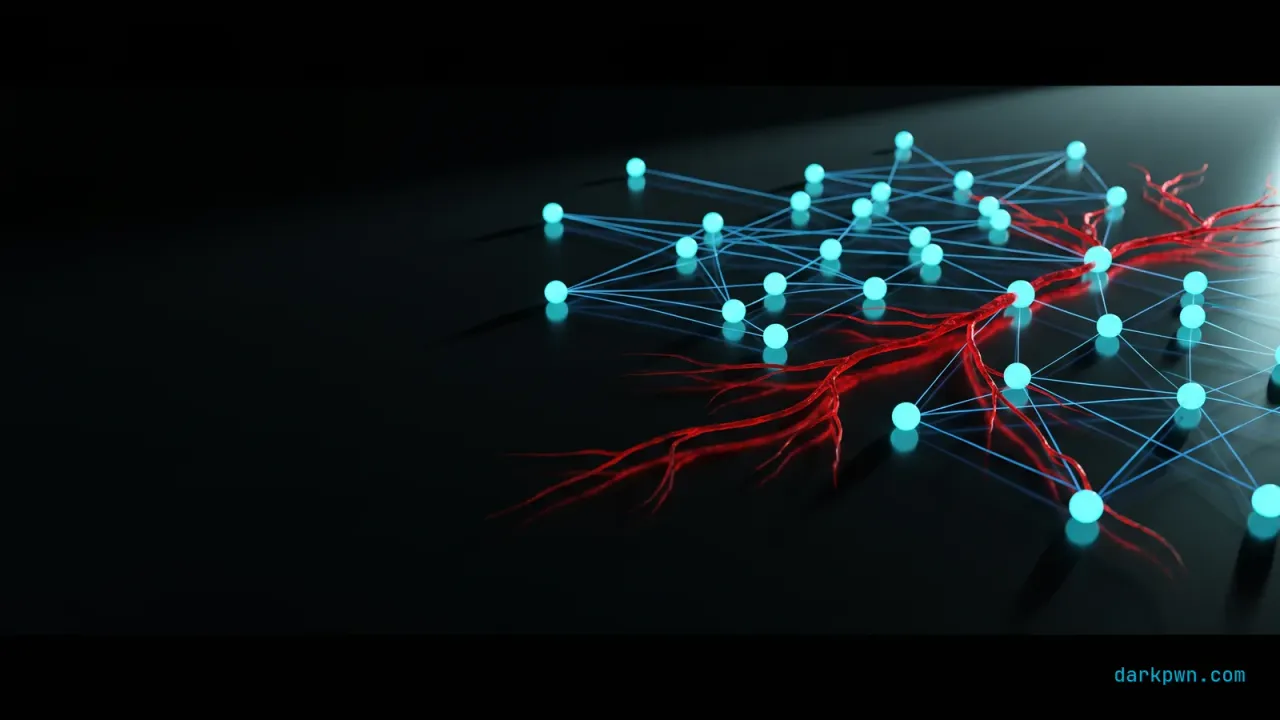
Lateral movement is the phase between a single compromised host and a domain compromise — and it uses the same tools your administrators use, which is exactly why it hides. An attacker with stolen credentials reaches other systems via PsExec, WMI, remote scheduled tasks, and RDP: all legitimate remote-execution methods. You cannot detect them by blocking the tools; you detect the relationships — which host is executing on which, and whether they have any business doing so. This guide ships the signals and the segmentation that shrinks the attacker’s reach.
Lateral movement maps to MITRE ATT&CK T1021 — Remote Services and T1570 — Lateral Tool Transfer. It rides on credentials taken via LSASS dumping and often precedes DCSync.
What is lateral movement?
After landing on one machine, an attacker rarely finds what they want there. Lateral movement is how they spread — using the credentials they have stolen to authenticate to other systems and run code on them, hopping toward domain controllers, file servers, and backups. The methods are the standard Windows remote-administration toolkit, which is the whole problem: PsExec, WMI, WinRM, RDP, and scheduled tasks are how admins legitimately manage fleets, so the traffic blends in.
The defensive answer is context. A workstation executing a service on another workstation, or a normal user account RDP-ing into a domain controller, is abnormal even though the mechanism is legitimate. Detection is about the source-destination-account relationship.
What are the main lateral-movement techniques and signals?
| Technique | Mechanism | Telemetry signal |
|---|---|---|
| PsExec | Installs and runs a service remotely | Event ID 7045 service install (PSEXESVC) |
| WMI | Remote Win32_Process create | wmiprvse.exe spawning a process |
| RDP | Interactive remote logon | Event ID 4624 logon type 10 |
| WinRM / remote PowerShell | Remoting session | WSMan events, wsmprovhost.exe |
| Remote scheduled task | Task created on another host | Event ID 4698 from a remote source |
The common denominator is a remote-execution event arriving at a host from a source that does not normally administer it. Baseline the legitimate admin-to-host relationships, and the anomalies are the movement.
How to detect lateral movement
The highest-signal single rule is a PsExec-style service install, which is rare and noisy-when-malicious.
title: Remote Service Execution via PsExec
id: 8c1f4a93-darkpwn-illustrative
status: experimental
logsource:
  product: windows
  service: system
detection:
  selection:
    EventID: 7045
    ServiceName|contains: 'PSEXESVC'
  variant:
    ServiceFileName|contains: ['\\\\','\ADMIN$\', '-service']
  condition: selection or variant
falsepositives:
  - Legitimate admin use of PsExec from jump hosts (allowlist source hosts/accounts)
level: highThe correlated chain in SPL and KQL
The callout above describes the sequence; here it is as queries you can deploy.
index=windows (EventCode=4624 Logon_Type=3) OR EventCode IN (7045, 4697, 5145)
| eval pair = Account_Name . "|" . src_host . "->" . dest_host
| bin _time span=30m
| stats values(EventCode) AS events, min(_time) AS first_seen,
        dc(dest_host) AS hosts_touched by _time, Account_Name, src_host, dest_host, pair
| eventstats min(first_seen) AS pair_first_ever by pair
| eval is_new_pair = if(pair_first_ever >= relative_time(now(), "-30d"), 1, 0)
| eval has_exec = if(mvcount(mvfilter(match(events, "7045|4697|5145"))) > 0, 1, 0)
| where is_new_pair=1 AND has_exec=1
| eval severity = case(hosts_touched >= 5, "critical", hosts_touched >= 3, "high", true(), "medium")
| table _time, Account_Name, src_host, dest_host, hosts_touched, severity, eventslet baseline = 30d;
let window = 1h;
// Every host each account has legitimately authenticated to
let known =
SecurityEvent
| where TimeGenerated between (ago(baseline) .. ago(window))
| where EventID == 4624 and LogonType == 3
| summarize by Account, Computer;
SecurityEvent
| where TimeGenerated > ago(window)
| where EventID == 4624 and LogonType == 3
| join kind=leftanti known on Account, Computer
| summarize NewHosts = dcount(Computer), Hosts = make_set(Computer, 20),
Sources = make_set(IpAddress, 10) by Account
| where NewHosts >= 3
| order by NewHosts descThe leftanti join is what makes this work. Lateral movement is not defined by volume — an
admin legitimately touches many hosts — but by an account reaching hosts it has no history of
touching. Scoring against each account’s own 30-day host set turns a noisy volume rule into a
precise novelty rule.
What telemetry do you need to detect lateral movement?
| Signal | Source | Event | The usual gap |
|---|---|---|---|
| Network logon | Windows Security | 4624 type 3 | Not collected from workstations, only servers |
| Remote service install | Windows System | 7045, 4697 | System log not forwarded |
| Admin share access | Windows Security | 5140, 5145 | Object-access auditing disabled by default |
| WMI / WinRM execution | Sysmon, WinRM logs | Sysmon 1, WinRM operational | WinRM channel not subscribed |
| RDP session | Windows Security / TerminalServices | 4624 type 10, 21/25 | Interactive-only focus misses type 3 |
| Named pipes | Sysmon | 17, 18 | High volume, often excluded from config |
| Process ancestry | Sysmon | 1 | Parent command line missing with 4688 only |
Workstation coverage is the gap that matters most. Lateral movement is workstation-to-workstation as often as workstation-to-server, and a collection strategy that only ingests server logs sees half the graph — usually the second half, after the damage.
Which false positives will you actually see?
| False positive | Why it happens | Resolution |
|---|---|---|
| Helpdesk remote support | Their job is touching many hosts | Baseline per role; alert on movement toward Tier 0 |
| Vulnerability scanners | Credentialed scans authenticate everywhere | Allowlist by account and source host |
| Patch and software deployment | SCCM/Intune reach every endpoint | Exclude the management infrastructure explicitly |
| Backup agents | Network logons to every protected host | Allowlist by service account plus source |
| Monitoring and inventory | Periodic authenticated sweeps | Separate tuning profile; alert on deviation from schedule |
| Domain controller replication | Constant inter-DC authentication | Exclude DC-to-DC pairs |
| Failover and clustering | Nodes authenticate to each other | Allowlist the cluster’s member set |
| New-employee onboarding | Genuinely new host relationships | Short grace window on new accounts |
The helpdesk row is the one to solve with direction rather than exclusion. Helpdesk staff touch many workstations, which is normal — what is not normal is a helpdesk account authenticating to a domain controller or a Tier 0 asset. Weighting the alert by movement toward higher-value tiers keeps the detection alive for exactly the population most likely to be targeted.
How do you triage a lateral-movement alert?
- Establish the direction and the target’s tier. Movement toward a domain controller or a Tier 0 asset changes the response from investigation to incident.
- Confirm the account is behaving anomalously, not just busily. Compare against its 30-day host set and its normal working hours.
- Identify the source host and how it was compromised. Lateral movement is mid-chain; something happened on that host first — check for credential dumping preceding it.
- Enumerate every host the account reached in the window. All of them are now suspect.
- Check what executed on each destination. A network logon alone is access; a service install or WMI spawn is execution and expands the incident.
- Determine which credentials were available on each host touched. This is how the attacker plans their next hop, and it should shape your containment order.
- Contain the account and the source host together. Disabling the account without isolating the host leaves the attacker with whatever else they harvested there.
- Reset credentials in dependency order — service accounts first, then privileged users, then machine accounts for hosts confirmed compromised.
Step 6 is what stops the incident spreading during response. An attacker who has already harvested a second credential from the first host will simply resume under that identity the moment you disable the first one.
How to test your lateral-movement detection
In an isolated lab you own:
- Run PsExec from a lab admin host to another and confirm the 7045 rule fires; allowlist the legitimate source.
- Execute a remote WMI process creation and confirm the
wmiprvse.exe-parent signal appears. - RDP into a lab server and confirm the 4624 type-10 logon is captured.
- Confirm normal admin-from-jump-host activity is allowlisted and quiet.
How to prevent and contain lateral movement
- Disable unused remote-admin protocols on workstations.
- Alert on any interactive logon to a domain controller outside a tiny allowlist.
- Harden credential theft upstream — LSASS and phishing-resistant MFA.
Which control shrinks the attacker’s reach most?
| Control | What it stops | Effort | Where it breaks |
|---|---|---|---|
| LAPS (unique local admin passwords) | Hash reuse across the whole fleet | Low | Almost nothing; the classic quick win |
| Host firewall: block workstation-to-workstation SMB/RDP | Peer-to-peer spread | Low–medium | Peer support tooling |
| Tiered administration | Tier 0 credentials landing on workstations | High, organizational | Habits; needs real enforcement |
| Jump hosts for admin protocols | Arbitrary admin paths | Medium | Emergency access patterns |
| Protected Users group / credential caching limits | Reusable credentials left in memory | Low–medium | Legacy auth, some scheduled tasks |
| Network segmentation | Broad reachability | High | Flat legacy networks |
| MFA on remote access | Credential-only movement | Medium | Non-interactive service paths |
Start with LAPS and workstation-to-workstation blocking. Together they are days of work and they remove the two mechanics that make lateral movement cheap: a single local admin hash that unlocks every machine, and the ability to hop peer-to-peer without ever touching a server. Tiering and segmentation are the durable answers, but they are organizational programmes measured in quarters, and a team that waits for them gets neither.
Blocking workstation-to-workstation SMB and RDP at the host firewall deserves particular emphasis because it is unusually high-leverage and unusually under-deployed. Almost no organization has a legitimate need for one laptop to run services on another, yet the default Windows configuration permits it — and it is the path most commonly used to spread from patient zero before anything of value is touched.
Common lateral-movement detection mistakes
- Trying to block the tools. Breaks admin work; attackers switch methods.
- No cross-host correlation. Movement is a relationship across machines, not one event.
- No baseline of admin relationships. Everything looks either normal or suspicious.
- Ignoring direction. Movement toward Tier 0 is the high-priority case.
- Collecting only from servers. Workstation-to-workstation movement is invisible, and it is usually the first hop.
- Alerting on volume instead of novelty. Admins touch many hosts; the signal is touching hosts they never touch.
- Excluding helpdesk accounts wholesale. They become the most attractive identity in the estate; weight by direction instead.
- Disabling the account without isolating the host. The attacker resumes with the second credential they already harvested there.
What evades relationship-based detection?
Knowing where this detection class is blind is what stops you overtrusting it.
Living off legitimate paths. An attacker who compromises a jump host or a helpdesk account moves along relationships that are already baselined as normal. Novelty scoring sees nothing unusual because nothing is unusual about the path — only about who is walking it. The countermeasure is time-of-day and volume profiling on the admin paths themselves, plus treating jump hosts as Tier 0 assets with their own monitoring rather than as trusted infrastructure.
Slow movement. Detections keyed to a one-hour window miss an attacker who makes one hop per day. Run the novelty query over a long window as a scheduled hunt, not just as a real-time alert — an account that reached three never-before-seen hosts over two weeks is as interesting as one that did it in an hour, and only the hunt will find it.
Protocol variety. Blocking or alerting on PsExec specifically pushes the attacker to WMI, then to WinRM, then to scheduled tasks. This is why the detection must key on the authentication relationship (4624 type 3) rather than any single execution mechanism — the logon happens regardless of what runs afterwards.
Credential-less movement. Techniques that abuse existing trust relationships — delegation abuse, or certificate-based authentication obtained through AD CS abuse — can produce authentication that looks entirely legitimate because, cryptographically, it is. Pair this detection with monitoring of the identity infrastructure itself.
Lateral movement detection checklist
- Collect service installs (7045), WMI activity, RDP logons (4624 type 10), remote tasks
- Collect 4624 type 3 from workstations, not just servers — the first hop is usually peer to peer.
- Score novelty against each account’s own 30-day host set, not a global volume threshold.
- Assign every host an asset tier and weight alert severity by movement up the tiers.
- Run the novelty query as a long-window scheduled hunt as well as a real-time alert.
- Key the core detection on the authentication relationship, not any single execution tool.
- Treat jump hosts as Tier 0 assets with their own monitoring, not as trusted infrastructure.
- Deploy LAPS and block workstation-to-workstation SMB/RDP before starting the tiering programme.
- Maintain the admin-relationship graph as a durable asset; it doubles as a hardening backlog.
Item 16 is the one that compounds. Every other line produces alerts; the graph produces the context that makes those alerts interpretable, and it simultaneously tells you which segmentation change would cut the most attack paths. (4698). 2. Alert on PsExec (PSEXESVC), WMI remote spawns, and RDP to sensitive hosts. 3. Baseline legitimate admin-to-host relationships; alert on deviations. 4. Correlate logon → remote execution → direction across hosts. 5. Prioritize movement toward Tier 0 (domain controllers). 6. Segment the network; restrict admin protocols to jump hosts. 7. Enforce tiered administration, LAPS, and MFA for remote access. 8. Test each technique in a lab and allowlist legitimate admin sources.
Why is the identity layer the highest-value telemetry?
Lateral movement is usually hunted at the network layer, which is where it is most visible and least attributable. Netflow tells you a connection happened; it rarely tells you which account made it, and the account is the thing you actually need to scope the incident.
Authentication telemetry is the stronger source for three reasons. It is attributable by construction — every event names a principal, so a hit immediately gives you the account to disable and the blast radius to assess. It survives encryption, unlike payload inspection, which degrades to metadata everywhere that matters. And it captures the one behaviour lateral movement cannot avoid: authenticating somewhere new. An attacker can tunnel, encrypt, and blend into normal ports, but they cannot move laterally without presenting credentials to a system they have not previously touched.
That last property is what makes first-time-seen logon pairs — this account to this host — such a durable detection. It is not a signature of any particular tool, so it does not decay when the tooling changes, and it is derivable from authentication logs you almost certainly already collect.
Network telemetry remains valuable for confirming the path and the timeline once you have a lead. The distinction worth holding: identity telemetry generates the lead; network telemetry corroborates it. Teams that invert that order spend a lot of effort correlating IPs back to people, which is work the authentication log had already done.
One practical consequence for collection priorities: if you can only afford to retain one of the two at full fidelity, retain authentication. Network metadata is voluminous and degrades gracefully when sampled, whereas a missing logon event is a hole in the exact narrative an investigation needs to reconstruct, and it cannot be recovered after the fact.
The takeaway
Detecting lateral movement means watching the legitimate remote-execution methods — PsExec, WMI, RDP — as relationships: a source executing on a destination it never normally touches, moving toward higher value. Baseline the admin paths, correlate across hosts, and contain with segmentation and tiering. Continue with DCSync detection and process injection detection, or see the cloud-native version of the same problem in zero trust microservices east-west detection. Or browse the full Detection Engineering pillar.
Training & tools referenced
Disclosure: Some links below are affiliate links. If you buy through them, darkpwn may earn a commission at no extra cost to you. We only recommend training and tools we actually use in our own lab, and affiliate links never influence editorial coverage.
- TryHackMeAuthorized labs to practice detecting lateral movement on Windows networksSecurity TrainingStart training
Frequently asked questions
How do you detect lateral movement?
Watch the remote-execution mechanisms attackers use to move between hosts: PsExec (a service named PSEXESVC installed via Event ID 7045), WMI remote process creation (wmiprvse.exe spawning a process), remote scheduled tasks, and RDP interactive logons (Event ID 4624 logon type 10). Alert on these between hosts that do not normally administer each other.
What is lateral movement?
Lateral movement is how an attacker spreads from an initial foothold to other systems in the network, using stolen credentials and remote-execution tools to reach higher-value targets like domain controllers. It maps to MITRE ATT&CK T1021 (Remote Services) and related techniques.
How do attackers move laterally in Windows?
Common methods include PsExec and other service-based execution, WMI, remote PowerShell/WinRM, remote scheduled tasks, and RDP — all using valid stolen credentials. Because the tools and protocols are legitimate administration methods, detection relies on the source-destination relationship and context, not on blocking the tools.
How do you tell lateral movement from normal admin activity?
By novelty and direction, not volume. Administrators legitimately touch many hosts, so a volume threshold either pages constantly or misses the attack. Score each account against its own 30-day set of hosts and alert when it authenticates to machines it has no history of touching, then weight the severity by whether the movement is toward a higher-value tier. Movement toward a domain controller is an incident; workstation-to-workstation is a lower-severity signal.
What is the fastest way to reduce lateral movement risk?
Deploy LAPS so every machine has a unique local administrator password, and block workstation-to-workstation SMB and RDP at the host firewall. Together these take days rather than quarters and remove the two mechanics that make lateral movement cheap: one stolen local admin hash unlocking the entire fleet, and peer-to-peer hopping that never touches a monitored server.
How do you prevent lateral movement?
Segment the network and restrict administrative protocols (SMB, RDP, WMI, WinRM) to jump hosts, enforce tiered administration so Tier 0 credentials never touch workstations, use the local-admin password solution (LAPS) to stop credential reuse, and require phishing-resistant MFA for remote access.
Keep reading

Detecting Process Injection
How to detect process injection — CreateRemoteThread, RWX memory, and process hollowing signals in Sysmon, a Sigma rule, and the tuning that keeps it high-fidelity.
Detecting BYOVD Attacks
How to detect BYOVD (bring-your-own-vulnerable-driver) attacks — the driver-load and service-creation signals, a Sigma rule, the LOLDrivers list, and HVCI hardening.

Detecting Living-off-the-Land Binaries
How to detect LOLBins without false positives — flag abuse of certutil, regsvr32, mshta and rundll32 by behavior, with a Sigma rule and allowlist tuning.