HackRF One for Defensive RF Awareness
How blue teams use HackRF One for defensive RF awareness — spectrum baselining, rogue-transmitter detection, a WIDS monitoring approach, and RF hardening.

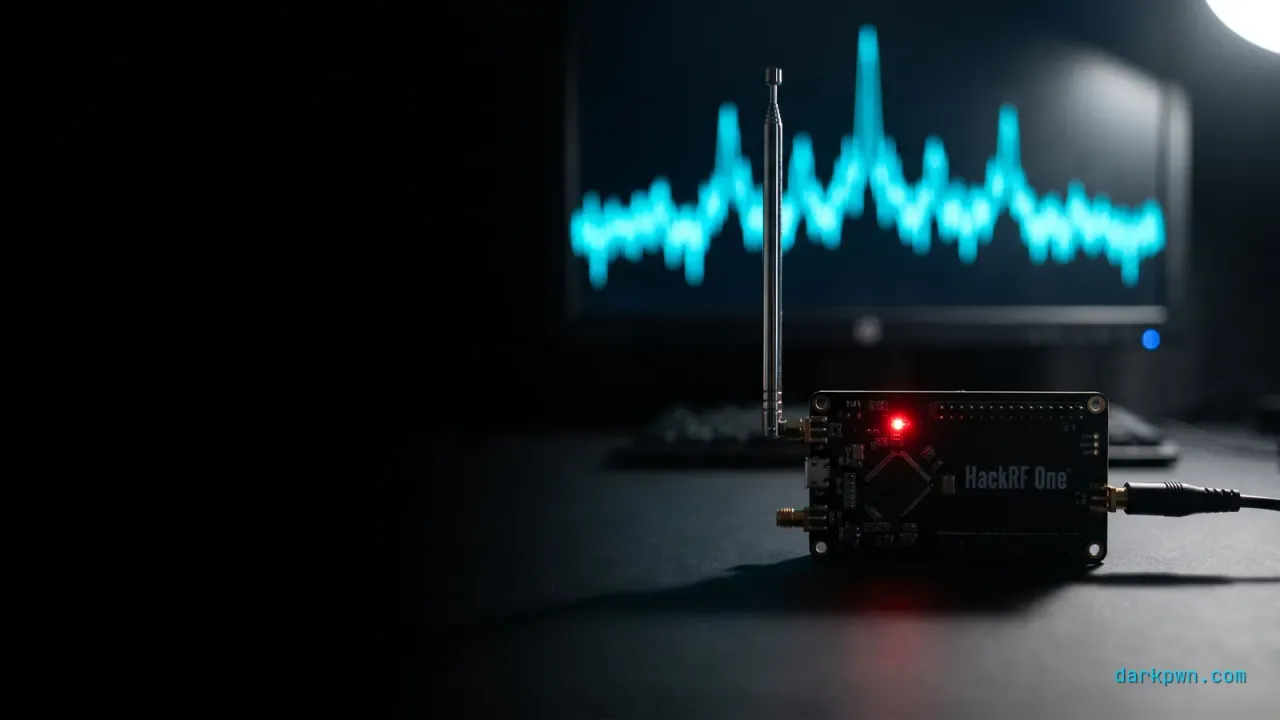
HackRF One is usually framed as an offensive tool, but for a blue team it is a defensive RF awareness instrument. A wide-band software-defined radio (1 MHz–6 GHz) lets you baseline the radio environment around a facility, spot rogue transmitters and unauthorized wireless devices, and verify that RF controls actually work. The defensive value is not in transmitting — it is in listening well enough to know what normal looks like, so the abnormal stands out. This guide covers the spectrum-awareness workflow, the detection, and the hardening.
Radio is the one attack surface most security programs never monitor. Rogue access points, unauthorized IoT, and covert transmitters all live in spectrum that no SIEM ingests. Bringing an SDR into the blue-team toolkit maps to MITRE ATT&CK T1200 — Hardware Additions, the technique for unauthorized devices introduced into an environment.
What is HackRF One and why does it matter for defenders?
HackRF One is an open-source, half-duplex software-defined radio that tunes from 1 MHz to 6 GHz with up to 20 MHz of capture bandwidth. Where a Wi-Fi adapter only sees 2.4/5 GHz Wi-Fi, an SDR sees the whole band — garage remotes at 315/433 MHz, TPMS sensors, IoT radios, paging, and more. For a defender, that visibility is the point: you cannot protect a layer you cannot observe.
The defensive use is reconnaissance of your own environment. What transmits near your building? Is there an unexpected device on a sensitive frequency? Did a “secure” wireless control actually use a rolling code, or a replayable fixed one? Those questions are answerable with receive-only SDR work and a disciplined baseline.
How do defenders use a HackRF One?
| Use case | What you observe (receive-only) | Defensive outcome |
|---|---|---|
| Spectrum baselining | Normal transmitters, frequencies, power | A reference to detect new/rogue signals |
| Rogue-device discovery | Unexpected emitters in sensitive bands | Find unauthorized IoT/covert devices |
| Control validation | Whether a remote uses rolling vs fixed code | Prioritize replaceable weak controls |
| Wireless inventory | Devices and protocols actually in use | Close the gap between policy and reality |
The throughline: every use is passive observation that builds a baseline. The attacker uses an SDR to find a weak signal to abuse; the defender uses the same radio to find that weak signal first and fix it.
Which RF bands should a defender actually watch?
Wide-band capability is only useful if you know where to look. Most of the RF risk in a corporate environment concentrates in a small number of bands, and sweeping 1 MHz to 6 GHz without a target list produces noise rather than awareness.
| Band | What lives there | Defensive relevance |
|---|---|---|
| 125 kHz | Legacy proximity badges (HID Prox, EM4100) | Cloneable in seconds — see Proxmark3 RFID security |
| 13.56 MHz | NFC and MIFARE access cards, payment | Mixed: modern credentials are strong, legacy MIFARE Classic is not |
| 315 MHz (US), 433.92 MHz (ISM) | Garage and gate remotes, TPMS, cheap sensors | Fixed-code remotes are replayable; a common physical-entry weakness |
| 868 MHz (EU) / 915 MHz (US) ISM | Z-Wave, LoRa, industrial telemetry, some alarms | Building automation and alarm links, often unauthenticated |
| 1090 MHz | ADS-B aircraft transponders | Rarely relevant unless you operate near aviation infrastructure |
| 2.4 GHz | Wi-Fi, Bluetooth and BLE, Zigbee, wireless keyboards and mice | The densest band, and the one most likely to hide a rogue device |
| 5 GHz | Wi-Fi | Rogue APs, especially on channels your WIDS does not scan |
| Cellular bands | GSM, LTE, 5G | High-sensitivity sites only; specialised and legally fraught |
The practical shortlist for most organisations is four rows: 125 kHz and 13.56 MHz for badge cloning risk, 315/433 MHz for physical entry controls, and 2.4/5 GHz for rogue wireless. Everything else is interesting rather than actionable unless your threat model names it specifically.
Note the asymmetry buried in that table. The bands that matter most are the ones where a fixed, replayable credential controls physical access — and those are almost never monitored, precisely because they are not on any network and so belong to no existing telemetry pipeline.
Which SDR should you buy for defensive work?
HackRF One is the default recommendation, but it is not the right answer for every job, and the specifications differ enough that buying the wrong radio wastes the budget.
| Device | Frequency range | ADC | Sample rate | Transmit? |
|---|---|---|---|---|
| RTL-SDR (V3 dongle) | ~500 kHz – 1.77 GHz | 8-bit | ~2.4 MS/s | No |
| Airspy R2 | 24 – 1800 MHz | 12-bit | 10 MS/s | No |
| HackRF One | 1 MHz – 6 GHz | 8-bit | 20 MS/s | Half duplex |
| bladeRF 2.0 micro | 47 MHz – 6 GHz | 12-bit | up to 61.44 MS/s | Full duplex |
| USRP B200 | 70 MHz – 6 GHz | 12-bit | up to 61.44 MS/s | Full duplex |
| Ubertooth One | 2.4 GHz only | — | Bluetooth-specific | Yes |
Buy an RTL-SDR first. It costs a fraction of a HackRF, and for the two things a defender does most — learning to read a waterfall, and confirming whether a specific device transmits — it is sufficient. Most people who buy a HackRF as a first radio spend a year using it as an expensive RTL-SDR.
Buy a HackRF One when you need above 1.8 GHz, which in practice means 2.4 GHz survey work or investigating a device whose operating frequency you do not yet know. The range is the reason to own it; nothing else at that price covers 1 MHz to 6 GHz.
Buy a 12-bit radio when you need dynamic range, not when you need more bandwidth. An 8-bit ADC struggles to resolve a weak signal sitting next to a strong one — which is the exact situation inside a building full of Wi-Fi.
What are HackRF One’s limits?
The specification everyone quotes is the frequency range. The specifications that decide whether it works for your survey are the ones nobody mentions.
- 8-bit ADC. Roughly 48 dB of theoretical dynamic range. A strong nearby transmitter desensitises the receiver for everything weaker, and in a typical office that strong nearby transmitter is your own Wi-Fi. This is the single biggest practical constraint.
- No preselection filtering. Without an external band-pass filter, strong out-of-band signals fold into the capture as images — spurious signals that are not really there. New users routinely report a “mystery transmitter” that turns out to be a broadcast FM station aliasing into band.
- Half duplex. It cannot transmit and receive simultaneously. That rules out some protocol-interaction work and is irrelevant for receive-only defensive use.
- USB 2.0 bus-powered. At 20 MS/s it saturates the bus. Sustained full-rate capture to disk needs a capable host and a fast disk, and dropped samples corrupt the analysis silently — you get a clean-looking capture that is missing the thing you were trying to see.
- The antenna matters more than the radio. A stock telescopic whip is the wrong antenna for almost every band in the table above, and serious survey work wants an external low-noise amplifier as well.
None of these disqualify it. They mean the real shopping list is a HackRF plus a filter, an LNA, and band-appropriate antennas — and the accessories frequently cost more than the radio.
How to detect rogue RF devices
RF threats show up in two places: on the air and on the host that drives the radio. Cover both.
On the host: unauthorized SDR or RTL hardware
An SDR plugged into a corporate workstation is a hardware addition worth flagging. Endpoint device-control or USB telemetry catches the common chipsets.
title: Unauthorized SDR or RTL Device Attached to a Host
id: 5d1a8c34-darkpwn-illustrative
status: experimental
logsource:
  category: driver_load
  product: windows
detection:
  selection:
    DeviceDescription|contains: ['HackRF','RTL2832','Great Scott','Realtek SDR','Airspy','bladeRF']
  condition: selection
falsepositives:
  - Authorized RF/research workstations (allowlist by host)
level: medium
On the air: a wireless IDS baseline
A wireless IDS (Kismet, nzyme) records the air around you; alerting on deviations from your baseline surfaces rogue APs and unexpected transmitters — the same behavioral-baseline approach used in Sigma rules that actually fire.
index=wids sourcetype=kismet:device
| stats earliest(_time) AS first_seen, max(signal_dbm) AS power by bssid, ssid, channel
| lookup wireless_baseline bssid OUTPUT status
| where isnull(status) AND power > -70
| sort - powerHow to set up a defensive RF lab safely
- Start receive-only with HackRF One (or a cheap RTL-SDR for learning) and a tool like GQRX or SDR++ to visualize the spectrum.
- Baseline your environment: capture the normal signals, frequencies, and power levels at different times and locations.
- Add a wireless IDS (Kismet/nzyme) for continuous 2.4/5 GHz monitoring and rogue-AP alerting.
- For any transmit testing (e.g., validating a rolling code), use a shielded enclosure so you never radiate into regulated spectrum.
What does an RF survey actually involve?
A survey is a repeatable procedure, not an afternoon staring at a waterfall display. Its output is a document you can diff against next quarter — and that diff is the detection.
- Define the perimeter and the bands. Take the four bands from the shortlist above plus anything specific to your estate. Record the physical points you will measure from: a lobby, a server-room door, an executive floor, the loading bay, the car park.
- Capture at each point, at a fixed gain, for a fixed duration. Consistency matters more than sensitivity. A survey you can reproduce is comparable; a survey you cannot reproduce is an anecdote with a screenshot.
- Repeat at different times. A weekday afternoon and a Sunday night produce very different spectra. The emitter that is still transmitting at 3 a.m. on a Sunday, in an empty building, is the one worth walking down.
- Record the negatives too. “No emitters observed between 400 and 500 MHz at the loading bay” is a finding. Next quarter it is a baseline that something can violate.
- Reconcile against the asset inventory. Every persistent emitter should map to a known device. The ones that do not are the survey’s actual output — everything else is context.
- Walk down the unknowns physically. Direction-finding with a directional antenna and signal-strength readings resolves most of them in minutes. The remainder are usually a neighbour’s equipment, which is worth documenting so next quarter does not re-investigate it.
The whole procedure costs a few hours per quarter. Its value sits almost entirely in steps 4 and 5: without a recorded baseline and an inventory to reconcile against, you have produced an attractive picture of some radio waves.
When is RF monitoring not worth the effort?
The honest answer is that for most organisations, buying an SDR is the wrong first move — and this guide would be dishonest not to say so.
RF attacks require physical proximity. An attacker has to be near your building. That single constraint eliminates the entire population of remote, opportunistic attackers responsible for the overwhelming majority of real incidents: the phishing, the exposed credential, the unpatched edge device. If those are not closed, spectrum monitoring is a distraction with excellent aesthetics.
RF monitoring earns its budget when at least one of these holds:
- You have physical-access controls that depend on RF — badge readers, gate remotes, wireless locks — and you do not know whether they use replayable credentials.
- You operate a site where proximity is plausible and the target justifies the trip: a data centre, a research facility, a trading floor, a site with regulated custody requirements.
- You already run a wireless IDS and want to cover the spectrum it structurally cannot see. A WIDS watches 2.4 and 5 GHz; it is blind to the 433 MHz gate remote in the car park.
- You are validating one specific control and need evidence rather than a programme. This is the highest-return use of an SDR by a wide margin: one question, one capture, one answer.
If none of those apply, deploy the wireless IDS, turn on endpoint device control, and spend the remaining budget on the unglamorous controls that stop the attacks you will actually receive.
What does the law actually say about receiving?
This is not legal advice and the details are jurisdiction-specific, but the shape of the rules is consistent enough to plan around — and getting it wrong is a criminal matter, not a policy violation.
In the United States, transmitting on regulated spectrum without a licence violates FCC rules, with unintentional radiators governed by Part 15. Reception is treated differently from transmission: the Wiretap Act (18 U.S.C. § 2511) carves out an exception for radio communications “readily accessible to the general public,” while 47 U.S.C. § 605 restricts divulging or using intercepted radio communications. Encrypted or scrambled transmissions and cellular communications sit firmly outside that public-access exception.
In the United Kingdom, the Wireless Telegraphy Act 2006 makes it an offence to use apparatus to obtain information about the contents of a message you are not authorised to receive — a stricter reception standard than the US model, and one that catches activity a US practitioner might assume is fine.
Three rules keep defensive work clearly inside the line:
- Receive only, and only in your own environment. Spectrum awareness of your own facility is the use case. Intercepting content is not, in any jurisdiction.
- Never transmit outside a shielded enclosure or a band you are licensed for. Replay-testing a gate remote in open air is precisely the activity that converts research into an offence.
- Log the authorisation before you start. A written scope from whoever owns the facility is what distinguishes a security assessment from an incident when somebody asks why you are in the car park with a directional antenna.
How to harden against RF threats
- Device-control policy on endpoints to block or alert on unauthorized SDR/USB radios.
- Physical RF surveys of sensitive areas to find covert transmitters that no network tool would ever see.
- Map RF assets — know every authorized transmitter so the unauthorized one stands out.
Common RF-monitoring mistakes
- No baseline. Without a reference of “normal,” every signal looks suspicious or none does. Baseline first.
- Transmitting carelessly. Radiating in regulated bands is illegal and unsafe — receive-only by default.
- Ignoring the host side. A rogue SDR on a corporate machine is invisible to air monitoring; cover endpoints too.
- Treating Wi-Fi as the whole spectrum. Most RF risk lives outside 2.4/5 GHz.
- Surveying once. A single capture is a snapshot, not a baseline. The value is in the diff between quarters, which means the first survey produces no detections by construction — a fact worth setting expectations on before anyone funds it.
- Buying the radio before the antenna. An 8-bit receiver with a matched antenna outperforms a 12-bit receiver with the wrong one. The accessories are not accessories.
- Recording only what was found. Negative results are what make the next survey comparable; omitting them silently resets the baseline every quarter.
- Skipping the written authorisation. Receive-only work in your own facility is defensible, but only if somebody can produce the scope document when security asks.
- Confusing an image for a transmitter. Without a band-pass filter, strong out-of-band signals alias into the capture. Confirm any surprising emitter with a filter or a second radio before escalating it as a rogue device.
HackRF defensive RF awareness checklist
- Acquire an SDR (HackRF One, or RTL-SDR to learn) and a spectrum viewer (GQRX/SDR++).
- Baseline the normal spectrum and wireless inventory by location and time.
- Deploy a wireless IDS (Kismet/nzyme) for continuous rogue-AP/transmitter alerts.
- Add endpoint device-control telemetry for unauthorized SDR/RTL hardware.
- Keep all monitoring receive-only; shield any transmit testing.
- Alert on new strong emitters, unexpected BSSIDs, and unauthorized RF hardware.
- Retire fixed-code/unencrypted RF; enforce rolling codes, encrypted badges, WPA3/802.11w.
- Run periodic physical RF surveys of sensitive areas.
The takeaway
HackRF One earns its place on the blue team as a defensive RF awareness tool: listen, baseline, and detect the rogue transmitter before an attacker exploits it — all receive-only and within the law. Pair it with WPA2 PMKID capture detection and WiFi deauthentication detection, or explore the full Hardware Security pillar.
Training & tools referenced
Disclosure: Some links below are affiliate links. If you buy through them, darkpwn may earn a commission at no extra cost to you. We only recommend training and tools we actually use in our own lab, and affiliate links never influence editorial coverage.
- HackRF OneThe wide-band SDR used for the spectrum-awareness lab work in this guideLab HardwareCheck price
- TryHackMeAuthorized labs to build wireless and RF security skillsSecurity TrainingStart training
Frequently asked questions
What is a HackRF One used for in defense?
A HackRF One is a wide-band software-defined radio (1 MHz–6 GHz) that blue teams use for defensive RF awareness — baselining the normal radio environment around a facility, spotting rogue transmitters and unauthorized wireless devices, and validating that controls like rolling codes and management-frame protection behave as expected in a controlled lab.
Is using a HackRF One legal?
Owning and receiving with an SDR is broadly legal in most jurisdictions, but transmitting is heavily regulated (in the US, FCC rules) and intercepting certain communications is restricted. Use it for receive-only spectrum awareness, and only transmit in a shielded lab or on bands you are licensed for, against systems you own or are authorized to test.
How do you detect rogue RF devices?
Baseline the expected spectrum and wireless inventory, then alert on deviations — new BSSIDs, unexpected transmitters in sensitive bands, and unauthorized SDR/RTL hardware attached to corporate hosts. A wireless IDS (Kismet, nzyme) plus endpoint device-control telemetry covers both the air and the host.
What is the difference between HackRF One and an RTL-SDR?
An RTL-SDR is a cheap, receive-only dongle covering roughly 24 MHz–1.7 GHz — fine for learning and basic monitoring. HackRF One is a half-duplex transceiver covering 1 MHz–6 GHz with a much wider capture bandwidth, which is why it is the common choice for serious RF research and lab work.
Keep reading

Evil Twin Access Points: Defensive Controls
Evil twin access point defenses for blue teams — detect rogue APs with a WIDS, why 802.1X server-cert validation and WPA3 matter, plus a captive-portal DNS signal.
WiFi Deauthentication Detection Guide
A WiFi deauthentication detection guide — spot deauth floods with a WIDS, why 802.11w PMF and WPA3 help (and where they fall short, CVE-2023-21061), plus hardening.
BadUSB Controls for Engineering Teams
BadUSB controls that survive contact with engineering teams — USB device control, HID allowlisting, USBGuard and WDAC, plus detection that does not block real work.